One Addon. One Download.
Navigator is the current combined addon. Keep your WTF folder and saved settings when replacing the old addon folders. Existing standalone settings are not guaranteed to import automatically.
 GEAR HUNTERNAVIGATOR
Download
◆ THE ADVENTURER'S COMPANION · WoW RETAIL
Your Intelligent WoW Assistant
Everything you need to get geared, find mounts, complete quests, track reputation, level faster, and discover documented rares, treasures, and secrets — all inside World of Warcraft.
Download Navigator v0.5.5Official release from GitHub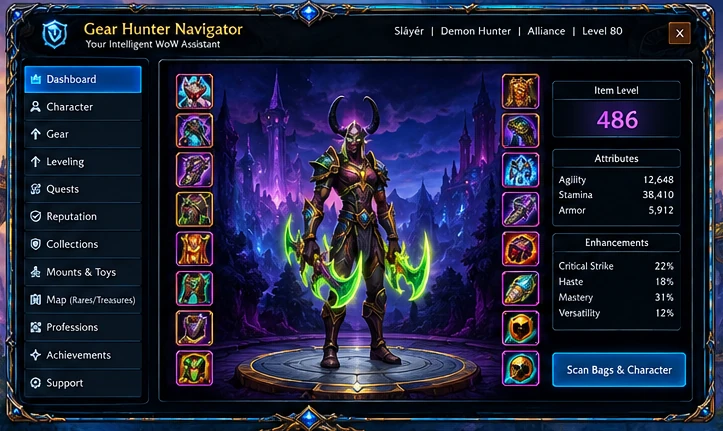 DESIGN PREVIEW · ILLUSTRATIVE CHARACTER AND STATS
 Gear Up FasterDiscover known +1 upgrades, item sources and gear goals.
 Leveling GuideClass-aware leveling and quest-log guidance.
 Quests & ReputationTrack active quests, factions and Renown.
 Mounts & ToysSearch collections and follow mount guides.
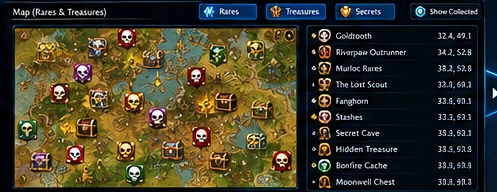
 Rare & Treasure MapExplore documented locations and waypoints.
 ProfessionsPlan materials and farming with available data.
 CollectionsBrowse your mounts, toys and other goals.
v0.5.5 October 2026
GearHunterNavigator to _retail_/Interface/AddOns/. Remove old standalone GearHunter and MapHub addon folders./ghnav or click its minimap icon.Navigator is the current combined addon. Keep your WTF folder and saved settings when replacing the old addon folders. Existing standalone settings are not guaranteed to import automatically.
Gear tools, mount collecting, quest and reputation guidance, and documented rares and treasures are available in one interface. Available data depends on the game client and included databases.
Open Online Armory →Need help with setup or want to report an issue? Open the support page. The original standalone releases remain available as GitHub archives.
Get Support →Gear Hunter Navigator is a free community project. Tips are optional and never required to download.